
Word Processing & Typing Stamina Foundations
Grade 7 Technology Ms. Kenya Akins John R. Griffin Middle School March 9-13, 2026

This Week's Learning Goals
I can navigate the Microsoft Word Ribbon interface I can format documents with proper spacing and fonts I can type a two-page document with 90% accuracy I can save and manage my files properly
Monday: Ribbon Scavenger Hunt
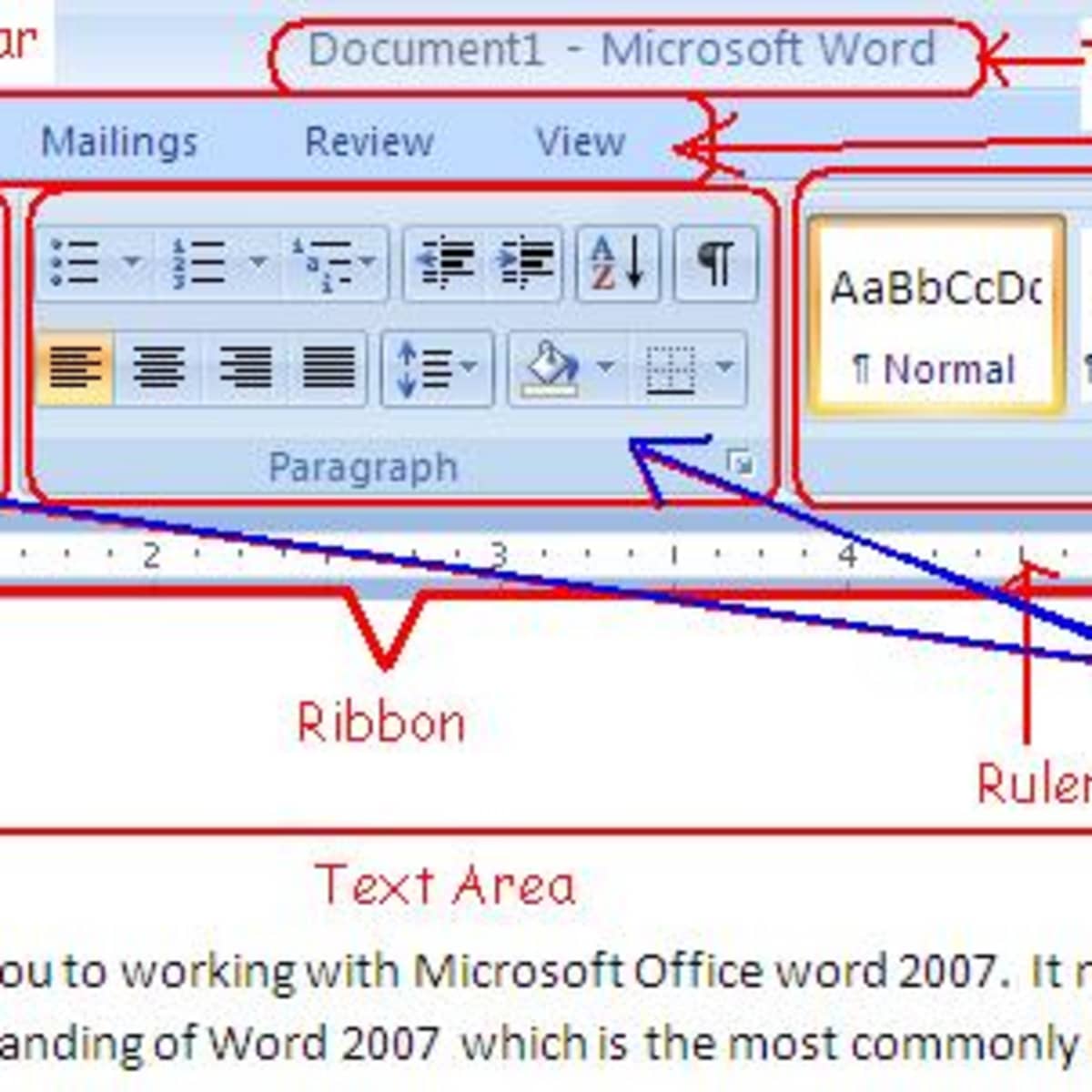
Find the Bold button Locate the Italic option Discover text alignment tools Explore font size controls
Tuesday: Document Formatting Essentials
Set margins to 1 inch (Layout Tab) Change line spacing to 2.0 (Home Tab) Select Times New Roman, Size 12 font Create your 'digital paper' setup

The Secret to Typing Success
"Accuracy over Speed - 25 WPM is the goal, but 95% accuracy is the priority."
Wednesday & Thursday: The Two-Page Marathon
{"left":"Eyes on screen - no looking at hands!\nUse correct fingers for Shift and Enter\nFocus on home row discipline\nTake breaks to avoid fatigue","right":"Proofread as you type\nUse spellcheck tools\nMaintain steady rhythm\nBuild endurance gradually"}
The Pinky Rule Challenge
Right pinky controls right Shift key Left pinky handles left Shift key Pinky fingers press Enter key Practice proper finger assignments
Friday: File Management Mastery
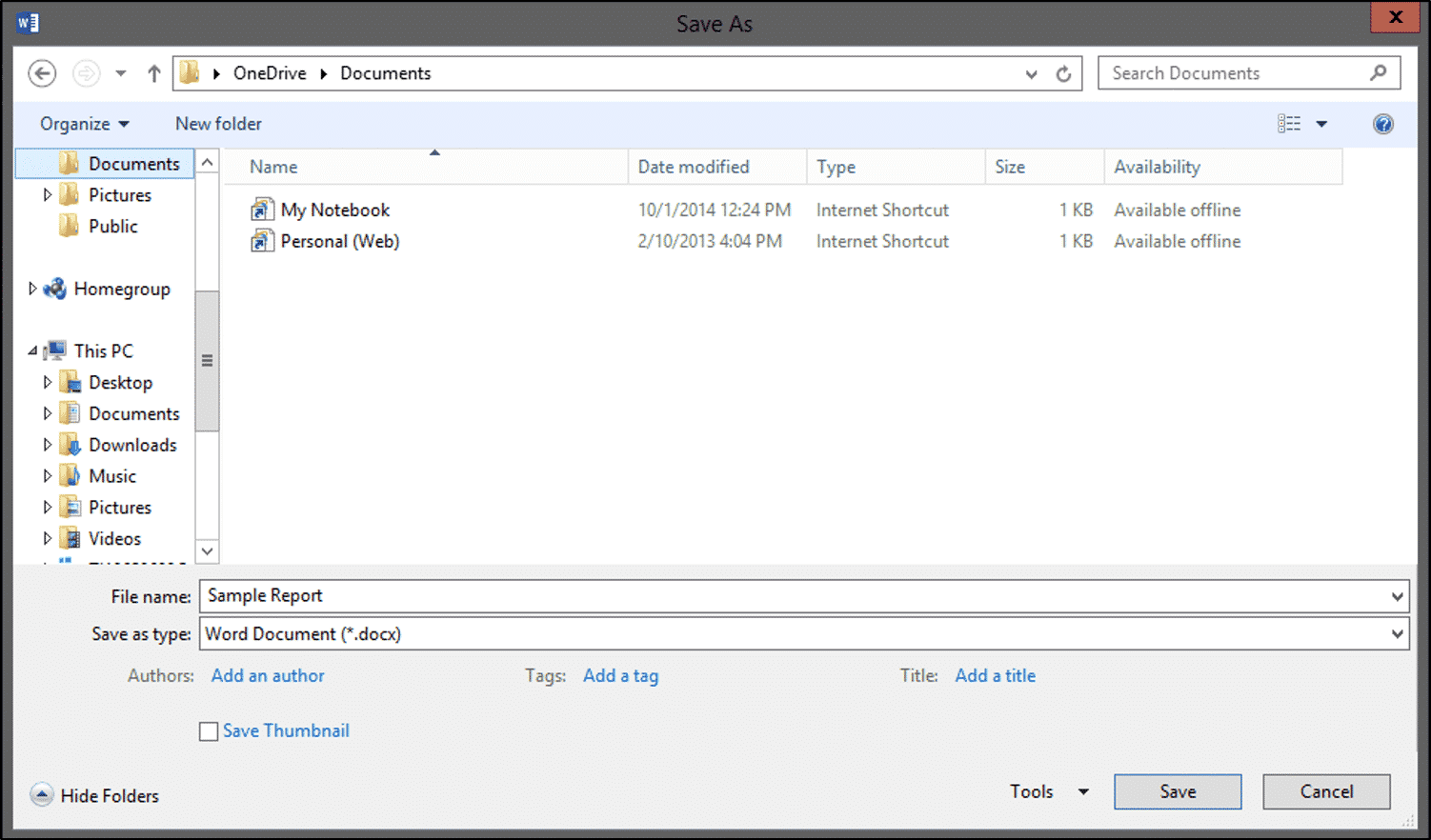
Save files with proper naming: LastName_FirstInitial_Test Export documents to PDF format Upload files to the Learning Management System Organize digital workspace

Reflection Question
How will these word processing skills help you in other classes and in your future?
Week Wrap-Up: You've Got This!
You've mastered the Word interface You can format professional documents You've built typing stamina and accuracy You're ready for advanced word processing